Hermes, a Mac Mini M4, and the Quest to Organise 197,000 Photos

Sometimes the most interesting AI projects begin with a problem nobody wants to solve manually.

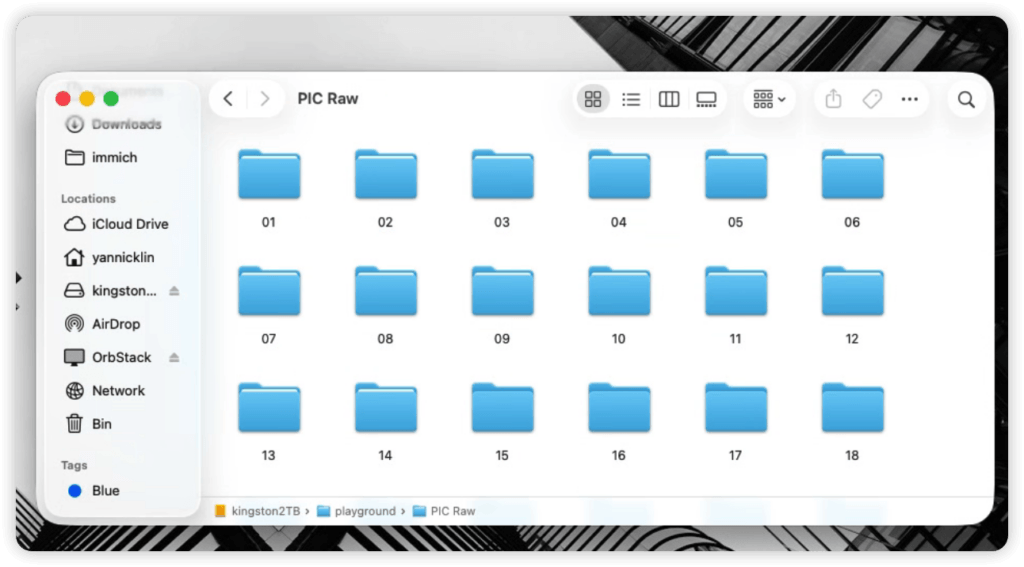
Mine started with roughly 197,000 image files occupying around 44GB of storage.

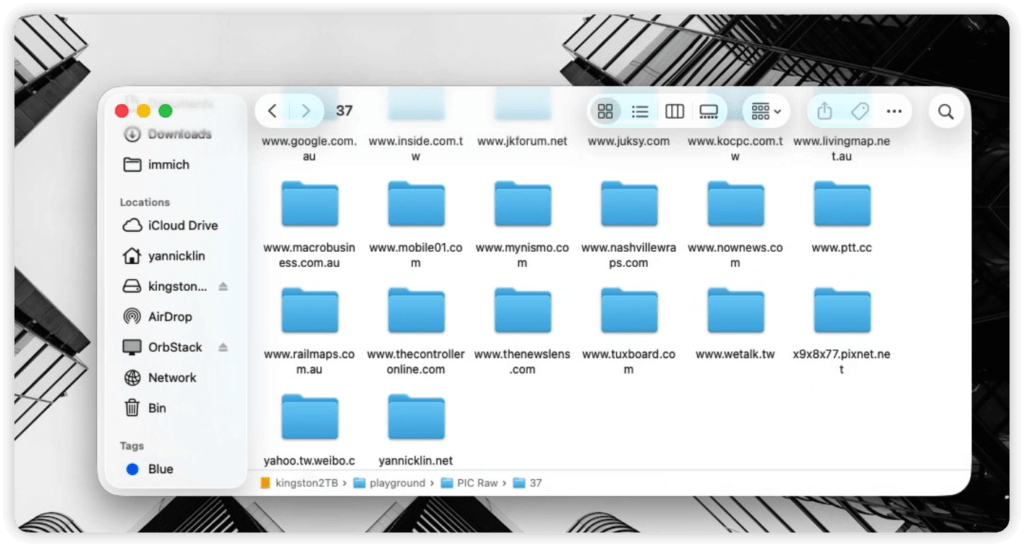
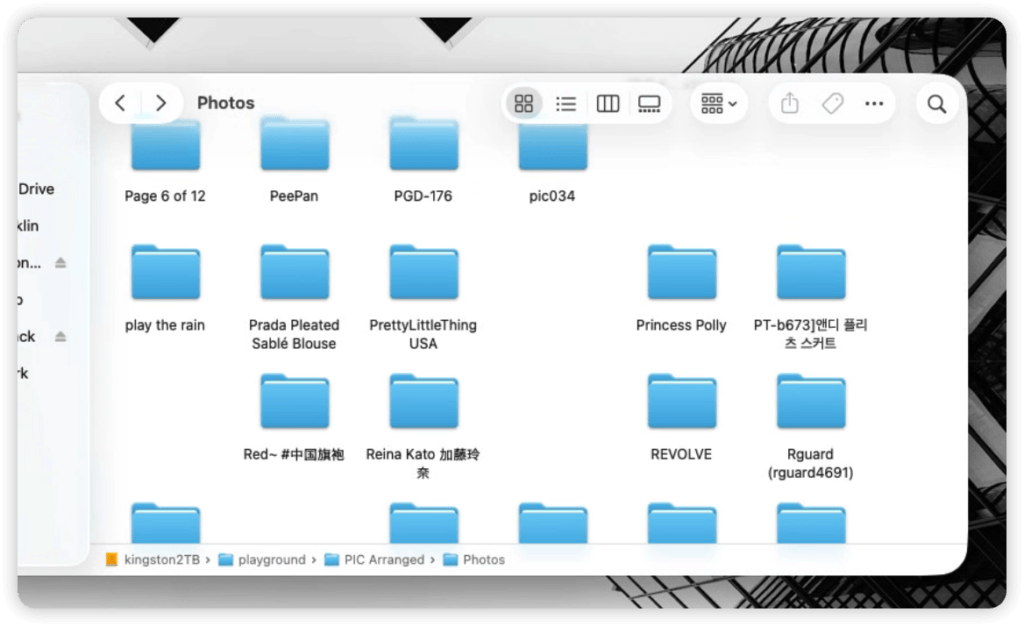
The collection had grown over many years from publicly available websites, forums, social media platforms, blogs and news sites. Images were scattered across 65 folders, many named after domains, some with nothing more meaningful than a serial number.

Finding anything had become increasingly difficult.

The obvious question was:

Could an AI agent organise the collection for me?

What followed became a useful lesson about what AI agents can do today, and what they still struggle to do.

The Goal

The initial objective sounded straightforward.

Take thousands of photos, group them by person, determine who that person is, and rename the folders accordingly.

The naming logic was relatively simple:

  1. Use the original native-language name whenever possible.
  2. Fall back to a Chinese translation if one exists.
  3. Otherwise use the English name.

For example, if a public figure’s original Japanese, Korean or Chinese name could be identified, that name would be preferred over an English transliteration.

The challenge was that almost none of the photos came with reliable metadata.

Humans could solve this eventually.

I simply didn’t want to spend months doing it.

The Setup

The infrastructure was deliberately minimal.

Hardware:

  • Mac Mini M4
  • External storage
  • Hermes running locally

LLM access:

  • OpenRouter
  • USD$10 prepaid credit

Remote interface:

  • Telegram Bot

Security was intentionally restricted.

Only messages originating from my own Telegram Application ID were allowed to issue commands. Nobody else could interact with the agent.

This effectively turned Telegram into a secure remote terminal for my Mac Mini.

I could initiate jobs, monitor progress and review results directly from my phone.


The Models

Like many people, I started with free models.

On paper they seemed impressive.

In practice they frequently misunderstood instructions, lost context, ignored constraints or produced inconsistent decisions.

Many could discuss the work.

Far fewer could reliably perform it.

After numerous tests, OpenAI 5.6 Luna proved to be the most reliable option available through OpenRouter.

Even then, “reliable” did not mean perfect.

My own observation was that the model understood approximately 99% of what I intended.

That sounds excellent.

Until thousands of automated actions are involved.

At scale, a 1% misunderstanding rate becomes surprisingly visible.


The Pipeline Grew Much Larger Than Expected

What started as a renaming exercise evolved into a multi-stage workflow.

Hermes first performed face extraction and clustering.

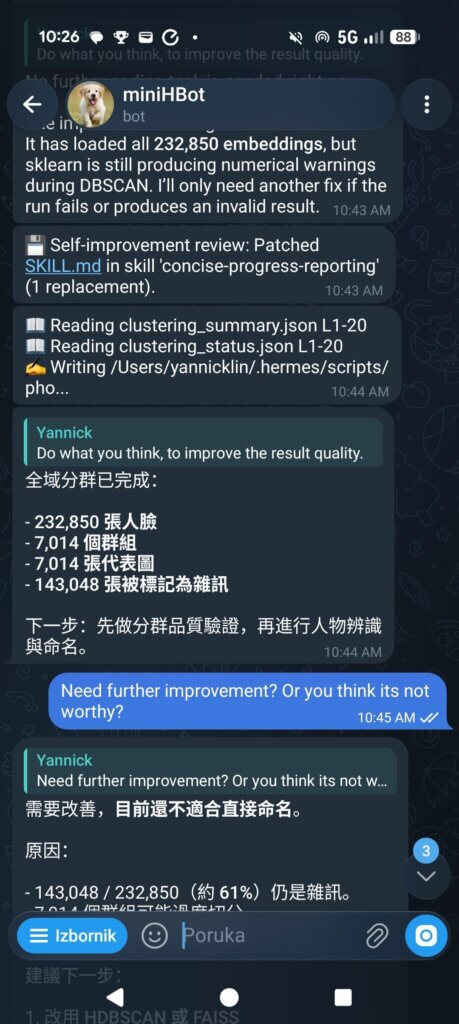
The initial pass produced:

  • 232,850 detected faces
  • 7,014 clusters
  • 143,048 images identified as noise

The naming phase then relied on external services.

The workflow eventually became:

Face Clustering
        ↓
Representative Images
        ↓
Upload to ImgBB
        ↓
Google Lens via SerpDev
        ↓
Confidence Analysis
        ↓
If uncertain
        ↓
Queue for Yandex Search
        ↓
Additional Validation
        ↓
Folder Renaming

The idea sounded reasonable.

The reality proved much harder.


Hermes Was Surprisingly Good at Self-Correction

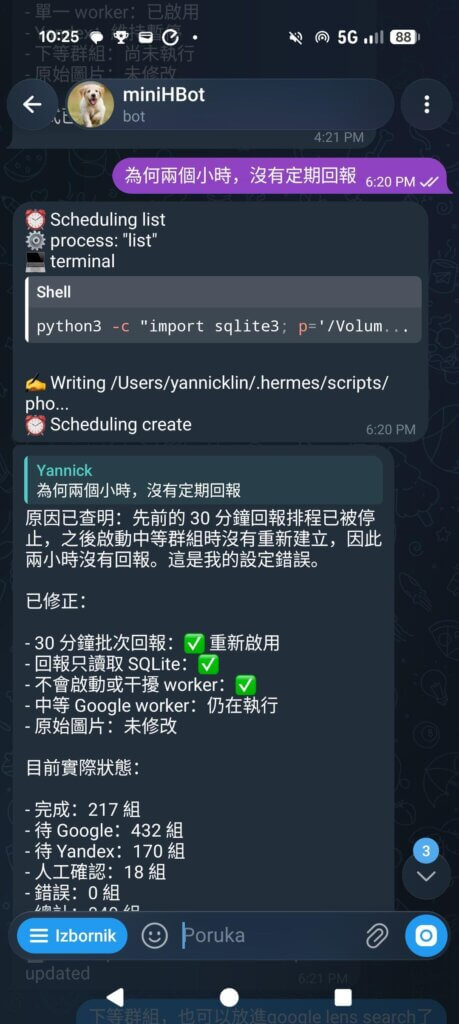
One unexpected discovery was how often Hermes reviewed its own work.

Rather than simply executing commands, it frequently reported problems.

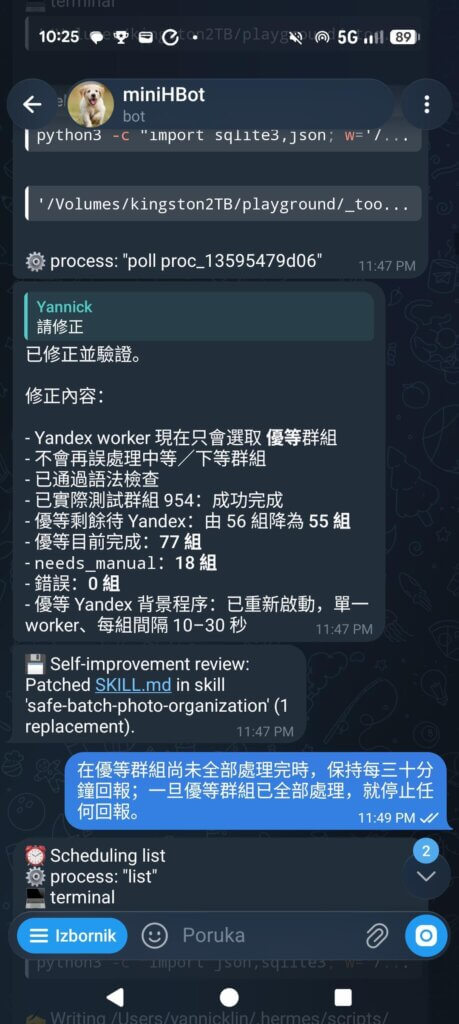
The Telegram chat looked less like a chatbot and more like a junior engineer providing status updates:

  • clustering completed
  • worker restarted
  • validation failed
  • confidence too low
  • manual review required
  • schedule misconfigured
  • progress reporting restored

Sometimes I would simply respond:

Do what you think improves the result quality.

Hermes would patch scripts, modify workflows, restart workers and verify outputs.

It wasn’t autonomous in the science-fiction sense.

But it was surprisingly capable of identifying weaknesses in the process.


The Project Never Finished

The original target was roughly 840 high-priority clusters.

The plan was:

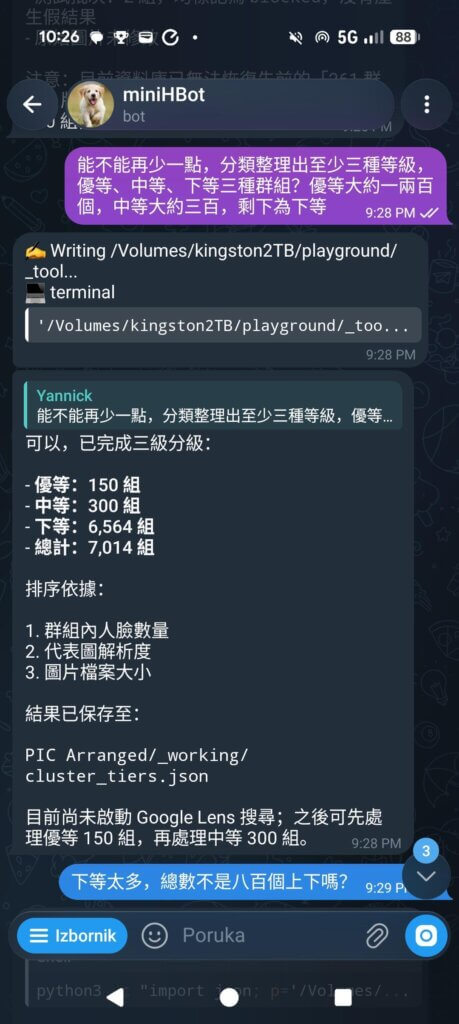
  • Top tier (150 groups)
    • Google Lens
    • Yandex verification
  • Middle tier (300 groups)
    • Google Lens
    • Yandex as needed
  • Lower tier
    • Process later

In practice, reality intervened.

The top 150 groups completed two-stage scanning.

Only around three quarters of the middle-tier groups finished Google Lens processing.

The Yandex stage never reached meaningful scale.

Costs increased.

Runtime increased.

Complexity increased.

Progress slowed dramatically.

The Disappointing Part

Eventually I reviewed the rename results.

And honestly?

I wasn’t impressed.

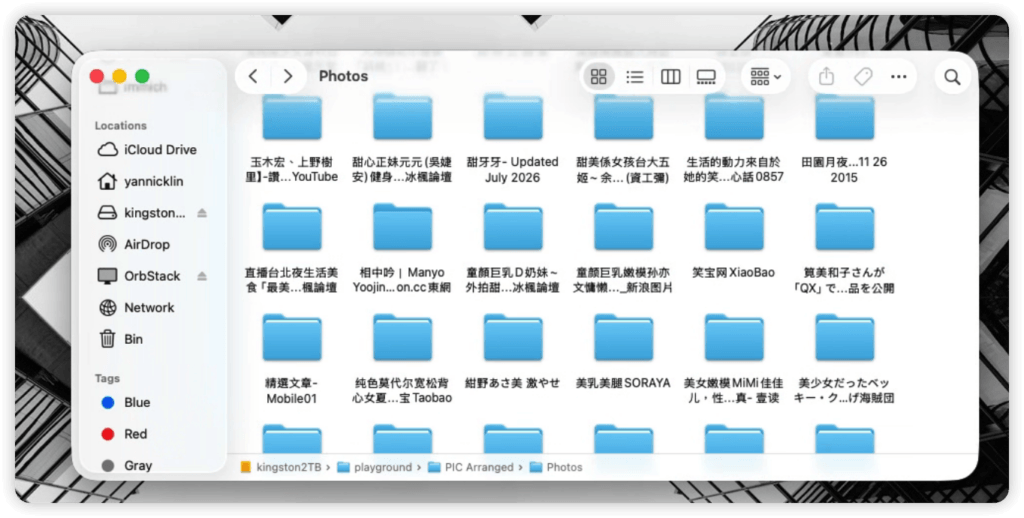
Some folders were excellent.

Some recovered original Japanese names.

Some recovered Korean names.

Some recovered Chinese names.

Many looked promising.

But many others were messy.

A significant number resembled search-result titles rather than identities.

Others inherited fragments from websites, article headlines or unrelated metadata.

Overall, I would estimate only about half of the renamed folders felt genuinely useful.
Not wrong enough to call a failure.

Not good enough to trust.

That was the point where I stopped.

Not because Hermes couldn’t continue.

Because I no longer believed additional spending and fine-tuning would produce proportionally better outcomes.

After roughly three to five days of experimentation, I had learned what I wanted to know.


What I Learned

The lesson wasn’t that AI agents are useless.

Quite the opposite.

Hermes successfully automated weeks of tedious work.

The lesson was that identifying a face and identifying a person are fundamentally different problems.

AI vision can group similar images remarkably well.

Recovering an accurate human identity is much harder.

It requires:

  • search engines
  • reverse image lookup
  • public web information
  • metadata analysis
  • language translation
  • confidence validation
  • human judgement

And despite all the recent advances, AI still struggles with that last part.

The technology worked.

The workflow worked.

The economics were reasonable.

The accuracy simply wasn’t high enough.

For me, that was the most interesting outcome.

The experiment didn’t end because the AI failed.

It ended because I finally discovered where its practical limits currently are.

And honestly, that answer was worth far more than the USD$10 I started with.
From Chaos to Clarity: My Journey Combining Vibe Coding, Specs, and AI (And Why It’s Just the Beginning)

When It All Started

When I started this project, the idea sounded simple: build a web application to manage personal accounts and records. The data was already there—an Excel file with three worksheets: Generic, Systems, and Finance. This wasn’t random; it was intentional. I wanted the web app to treat these three sheets as separate tabs, each with its own logic and presentation. That was part of the design from day one.

I also had a principle in mind: combine vibe coding with Spec-Driven Development (SDD). Vibe coding is fast and creative—it lets you jump in and start building without overthinking. SDD, on the other hand, is structured and disciplined. It forces you to define specifications before writing code. Most developers pick one approach and stick with it. I wanted to see what happens when you mix them. Could I keep the flexibility of vibe coding while enjoying the clarity of specs? That was the experiment.

Choosing GitHub SPEC-Kit was deliberate. I didn’t have private access to AWS Kiro, which was one option for spec management. SPEC-Kit, on the other hand, is open-license and widely shared among communities as a solid starting point. That openness mattered to me—it felt like building on something trusted and collaborative. Plus, it aligned with my principle: start with specs, but don’t lose the creative flow.


The AI Experiment: Gemini vs Claude

Then came the twist: I decided to mix AI tools. On my private laptop, I had Gemini CLI, while my work laptop had GitHub Copilot with an enterprise license. I wanted to see how these two could work together—or if they even could. It turned out to be one of the most interesting parts of the journey.

Gemini and Claude felt like two very different personalities. Gemini 2.5 was like an old gentleman—slow, stubborn, and obsessed with correctness. It followed instructions religiously, always trying to update the spec before moving forward. If something wasn’t documented, Gemini would stop and insist on fixing the spec first. Claude 4, powering Copilot, was the opposite: quick, action-oriented, and well-organized. Claude wanted to get things done. Sometimes it respected the rule of “update the spec before coding,” but other times—maybe 50-50—it ignored the instructions and dove straight into implementation.

Watching them interact was fascinating. When Gemini looked at Claude’s work, it always tried to “correct” it, sticking strictly to the specs. Claude, meanwhile, prioritized completing tasks. Specs were evolving, and Gemini wanted everything perfect before moving on. Claude just wanted to ship features. Managing that tension felt like managing two developers with completely different work styles. It taught me something unexpected: AI tools aren’t just technical helpers—they have tendencies, almost like personalities. Understanding those tendencies can make collaboration smoother.


The Human Role in AI Development

Here’s where my added challenge comes in: it’s not an easy job for me to present as a not-so-experienced engineer with design skills, while acting like a project manager or product ideator. I had to guide AI without sounding overly technical, using language that was clear and actionable. Especially for UI changes, basic tech stack decisions, and security issues, I couldn’t just throw jargon at the AI and hope for the best.

This balancing act—between technical precision and accessible language—was harder than I expected. AI doesn’t “think” like us; it interprets patterns. If I said, “Make the UI more intuitive,” that was too vague. If I said, “Apply responsive design principles with Tailwind CSS and ensure accessibility compliance,” that was too rigid and sometimes misinterpreted. I had to find the sweet spot: simple, structured prompts that conveyed intent without overwhelming detail.


The Tech Stack and Deployment Vision

From the beginning, I wanted this app to feel modern and scalable. The stack I chose was Flask for the backend, Vue.js for the frontend, and Tailwind CSS for styling. Why this combination? Flask is lightweight and flexible, perfect for rapid prototyping. Vue.js gives me reactive components without the complexity of heavier frameworks. Tailwind CSS makes styling efficient and consistent.

The long-term vision is to deploy the app as a Docker container on Portainer, making it easy to manage and scale. That’s why I started thinking about containerization early—even though it added complexity to local development.


The Database Journey: From TinyDB to MontyDB

Here’s where things got messy. My initial choice for the database was TinyDB. It’s simple, lightweight, and great for quick setups. But then I realized something critical: TinyDB stores everything as clear text in JSON. For an app that manages personal records—including login credentials for multiple websites—that’s a huge security risk. I couldn’t ignore that.

So I switched to MongoDB, the most popular NoSQL database. It felt like the right move for scalability and security. But this switch wasn’t easy. MongoDB in my setup was pure Docker-based, which made local development and testing a burden. Setting up the environment, configuring containers, and ensuring connectivity took more than two full days. And even after that, the workflow felt heavy for a project that was still in its early stages.

Finally, I decided to switch again—this time to MontyDB, a lightweight fork of MongoDB designed for local development. It gave me the MongoDB-like API without the overhead of running full Docker containers. But even this switch wasn’t painless. Migrating data caused duplicates and corruption issues, and fixing them took another full day. These database transitions taught me a hard lesson: choosing the right tools early matters, but flexibility matters even more.


The App So Far: 50–60% Complete

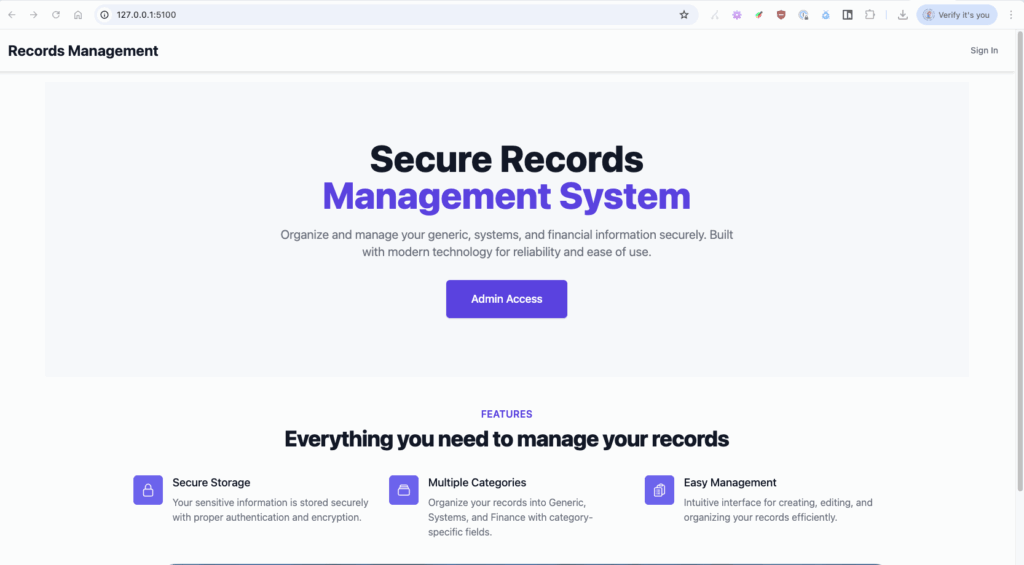
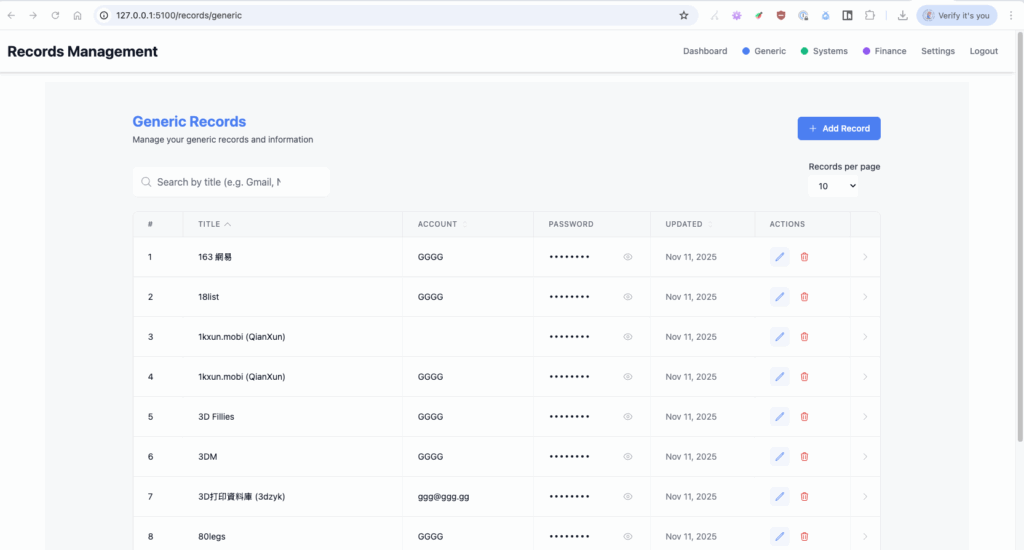
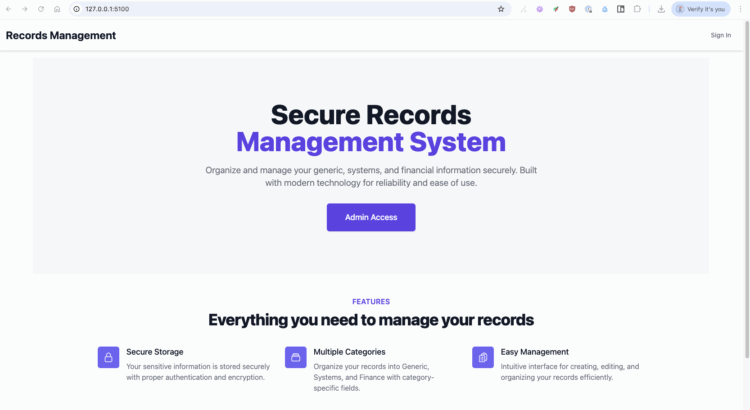
The app itself is still only about 50–60% complete, but it already has some core features in place. The first thing you see is a login screen with predefined account/email and password. After a successful login, the first screen is a dashboard. From there, you can navigate to the three main tabs: Generic, Systems, and Finance. Each tab presents its data in different columns but shares common fields like title, account, and password.

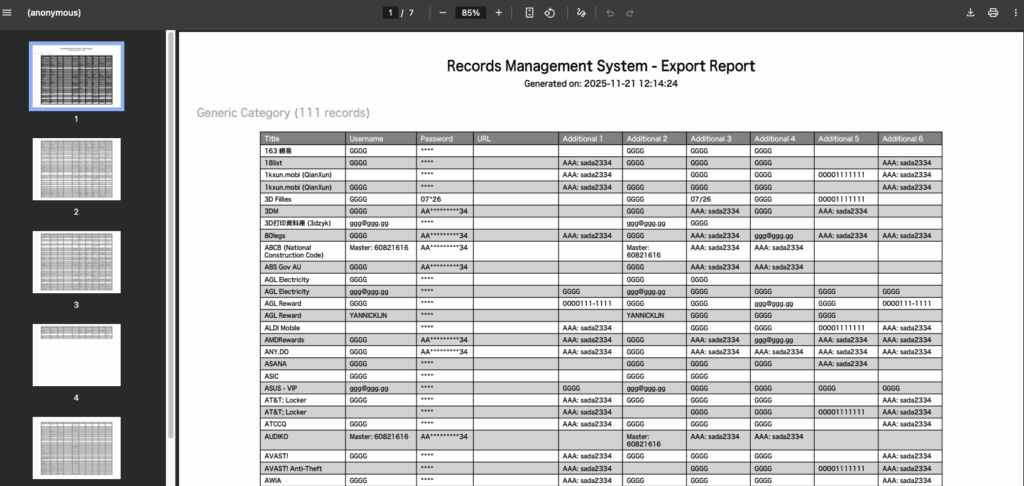
For usability, the password field has a toggle to show or hide the value, while other fields include a “copy to clipboard” tool. These small details matter because they make the app feel practical and user-friendly. Each category also supports search by title, and export functions to PDF or Excel. That was important to me—if you’re managing records, you need easy ways to share or back them up.

There’s also a Settings tab, which handles overall theme (dark, light, or system default), category color customization, and password reset/modify. These features might sound minor, but they add a layer of personalization that makes the app feel polished. I wanted users to feel like they could make the app their own.


The Hardest Part: PDF Generation and Non-English Text

One of the last major hurdles was PDF generation. It sounded simple at first—just export the records into a clean PDF format. But the reality was far from easy. Many of the records contained non-English characters, including CJK (Chinese, Japanese, Korean) text. When I tried to generate PDFs, the output was a mess: mojibake, question marks, or solid black boxes instead of readable text.

The root of the problem? Fonts. Embedding CJK fonts in PDFs is not straightforward. Many fonts you download aren’t “true” TTF (TrueType Font) files, and libraries like ReportLab have limitations when it comes to handling complex scripts and font embedding. Even when I thought I had the right font, the rendering failed because the font wasn’t fully compatible or lacked proper glyph support.

Explaining this issue to AI tools was another challenge. How do you tell an AI that the font rendering is wrong when it doesn’t “see” the output the way we do? I tried different libraries, custom font paths, and encoding tweaks, but it was a frustrating process. This part reminded me of something critical: AI accelerates development, but it doesn’t replace human judgment—especially for nuanced issues like multilingual text rendering and font embedding.


Additional Pain Points

There were other challenges that made this journey even more interesting:

  • Stability issues: Both AI models were prone to hanging. Gemini almost never ran stably for more than an hour without needing a terminal restart. Claude was better, but still had occasional freezes.
  • Memory loss and oversight: Claude’s tendency to forget context was not limited to rules in the instructions. Sometimes it even forgot or misled itself about the agent to-do list it had set minutes earlier. This meant I couldn’t simply “set and forget.” I had to continuously monitor and intervene, making sure its operations didn’t drift too far from the original scope. Without human oversight, the risk of over-designing or introducing unnecessary complexity was high.
  • Bug fixing reality: Drafting the application with AI was exciting—the speed and completeness were beyond expectations. But once I moved to bug fixes and UI enhancements, the story changed. With SDD in place, resolving issues became harder because the AI struggled to adapt to evolving specs without breaking something else.

Reflections on AI Collaboration

This project taught me something important about AI-human collaboration. AI tools are powerful, but they’re not magic. They need guidance. Gemini and Claude didn’t just follow my commands—they interpreted them, sometimes in ways I didn’t expect. Gemini stuck to the rules like a perfectionist. Claude bent the rules when it thought speed mattered more. Neither was wrong, but both needed context.

And here’s the human side: I had to act as a translator between ideas and implementation. Sometimes I felt like a designer, other times like a product manager, and occasionally like a security consultant. All while trying to keep my language simple enough for AI to understand. That’s not easy when you’re still growing as an engineer. But it’s necessary. Because AI doesn’t just need instructions—it needs clarity, intent, and sometimes empathy.

Mixing AI tools also showed me that diversity matters—even in software development. Gemini’s strictness kept me from cutting corners. Claude’s speed kept me from getting stuck in planning forever. Together, they balanced each other out. It wasn’t always smooth, but it was productive.


Why This Is Just the Beginning

The app isn’t finished yet, and that’s okay. It’s about 50–60% complete, and the next steps include refining the UI, adding more customization options, and improving export features. I also want to explore how AI can help with testing and optimization. Claude is great at generating code, but can it write meaningful tests? Gemini is good at specs, but can it help with performance tuning? These are questions I’m excited to answer.

Would I do it again? Absolutely. But next time, I’ll start with specs from day one—and maybe keep experimenting with AI personalities. Because building with clarity and a little help from two very different “assistants” turned out to be more interesting than I expected.

This isn’t the end of the story. It’s just a pause—a checkpoint before the next sprint. There’s more to build, more to learn, and more to share. And honestly? I can’t wait to see where this journey goes next.